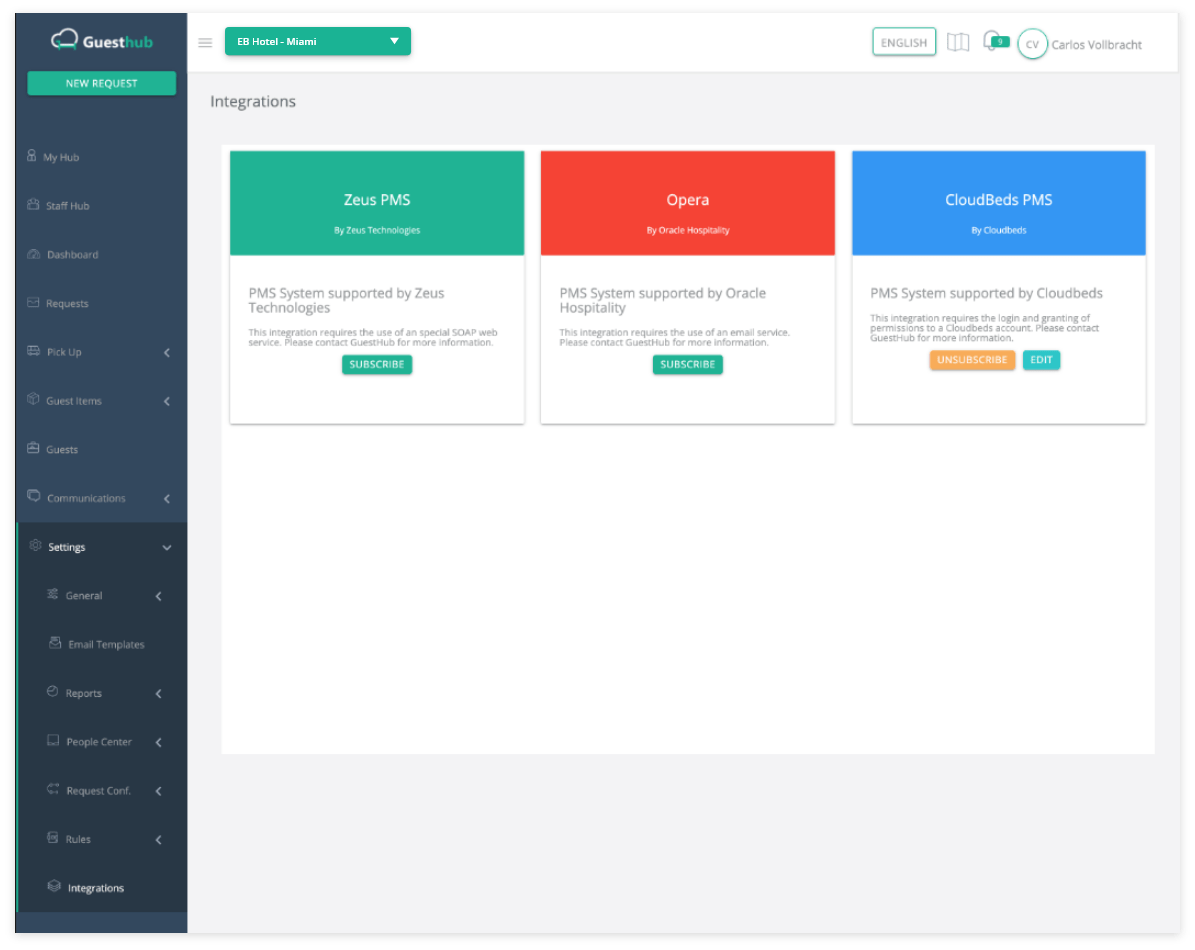
Integrating Guesthub with Cloudbeds
Follow these simple steps to connect to your existing Cloudbeds account.
1
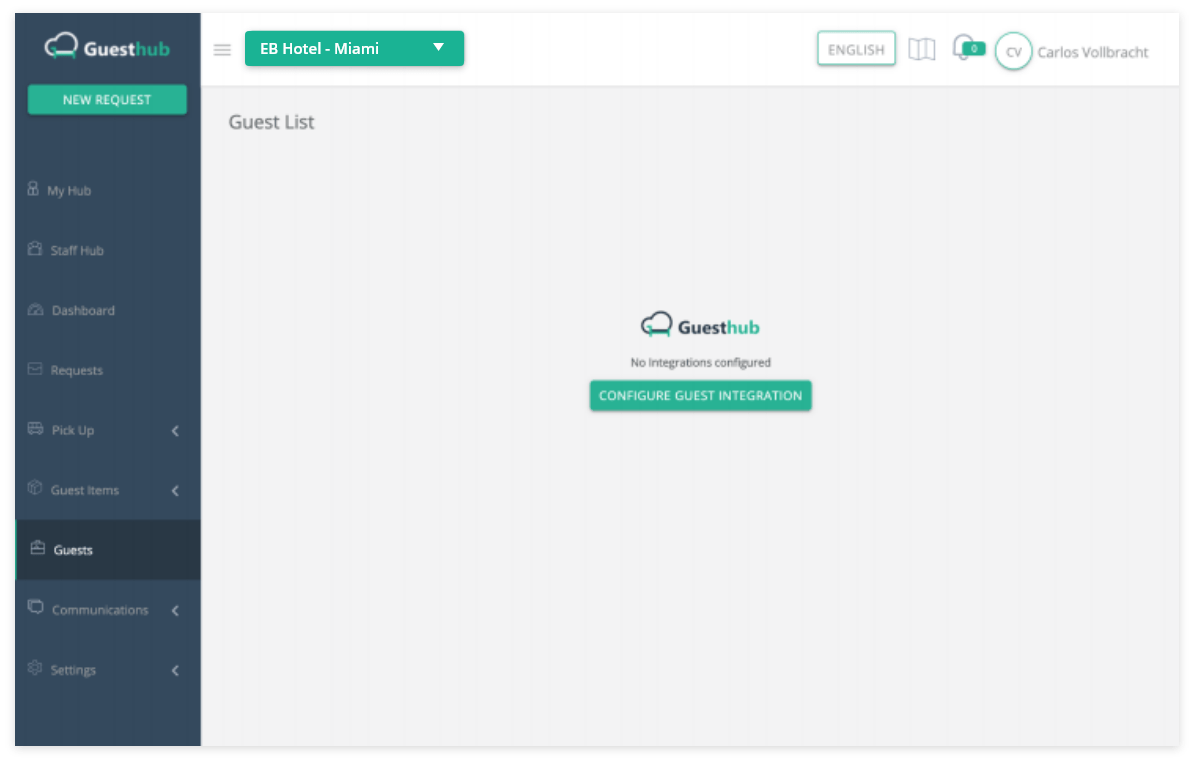
Sign in to Guesthub and go to the Guests section in the side navigation bar
2
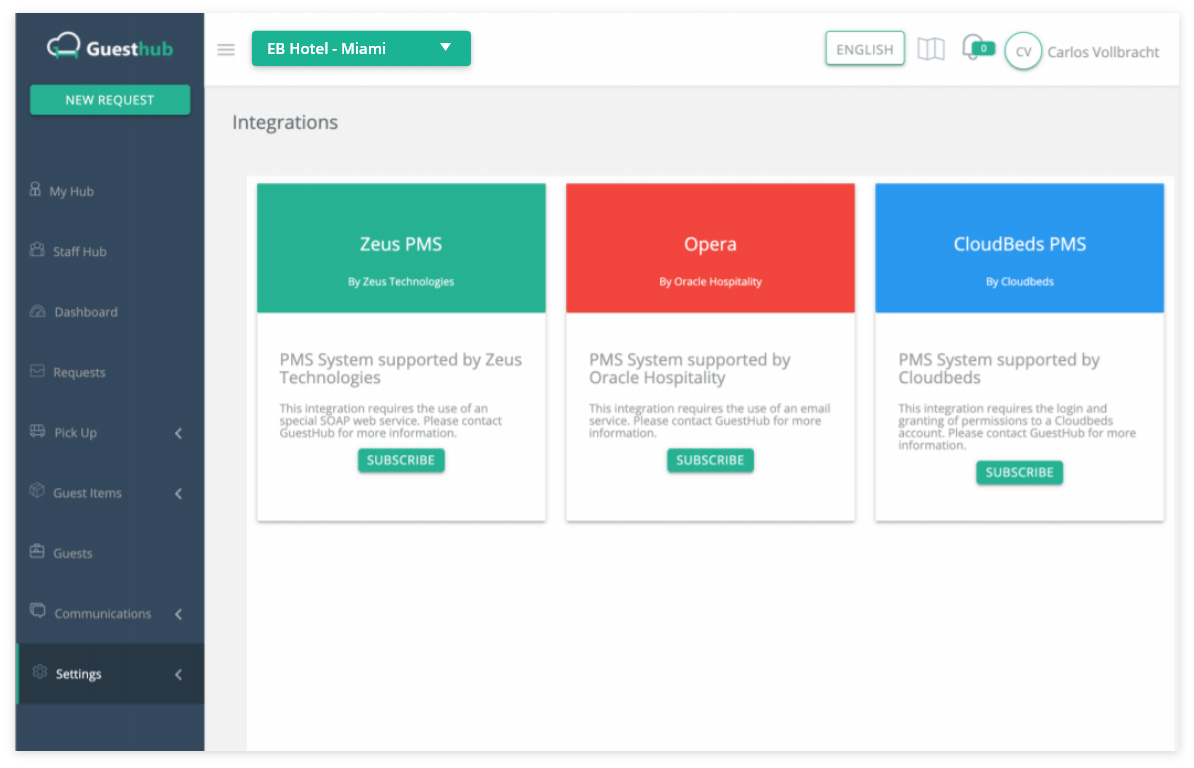
Select Cloudbeds PMS
3
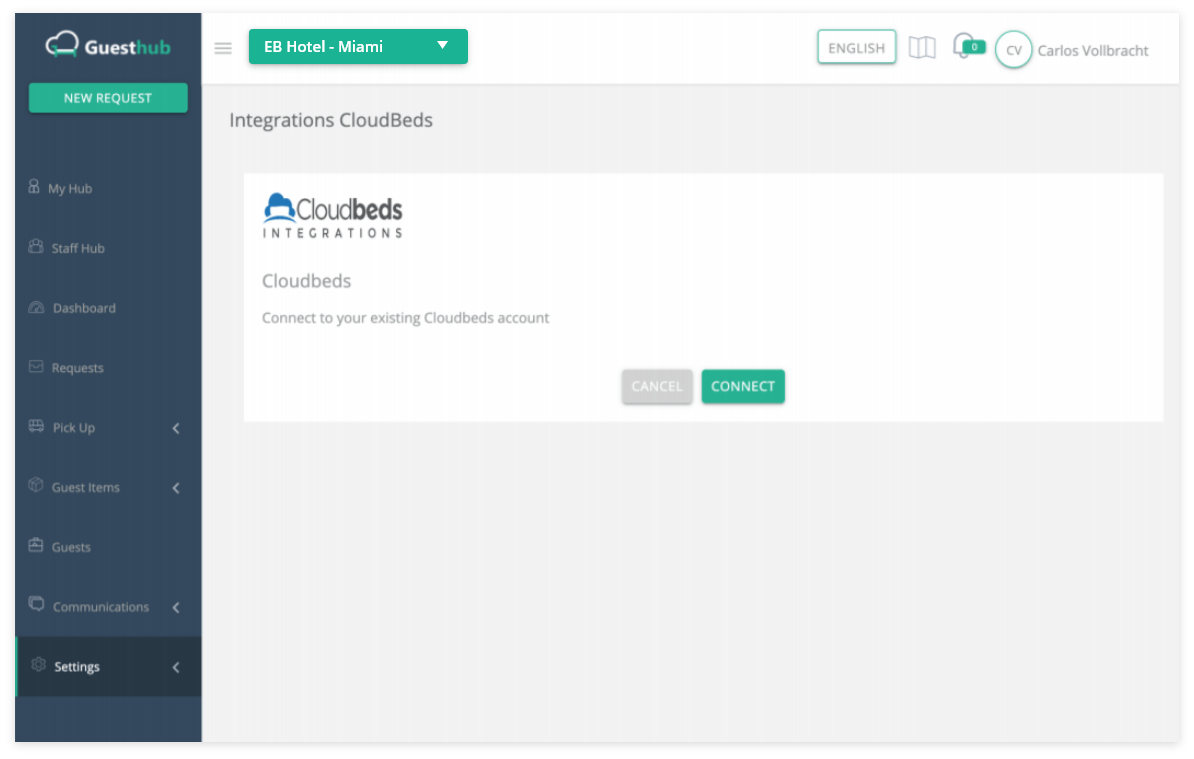
Connect to your existing Cloudbeds account
4
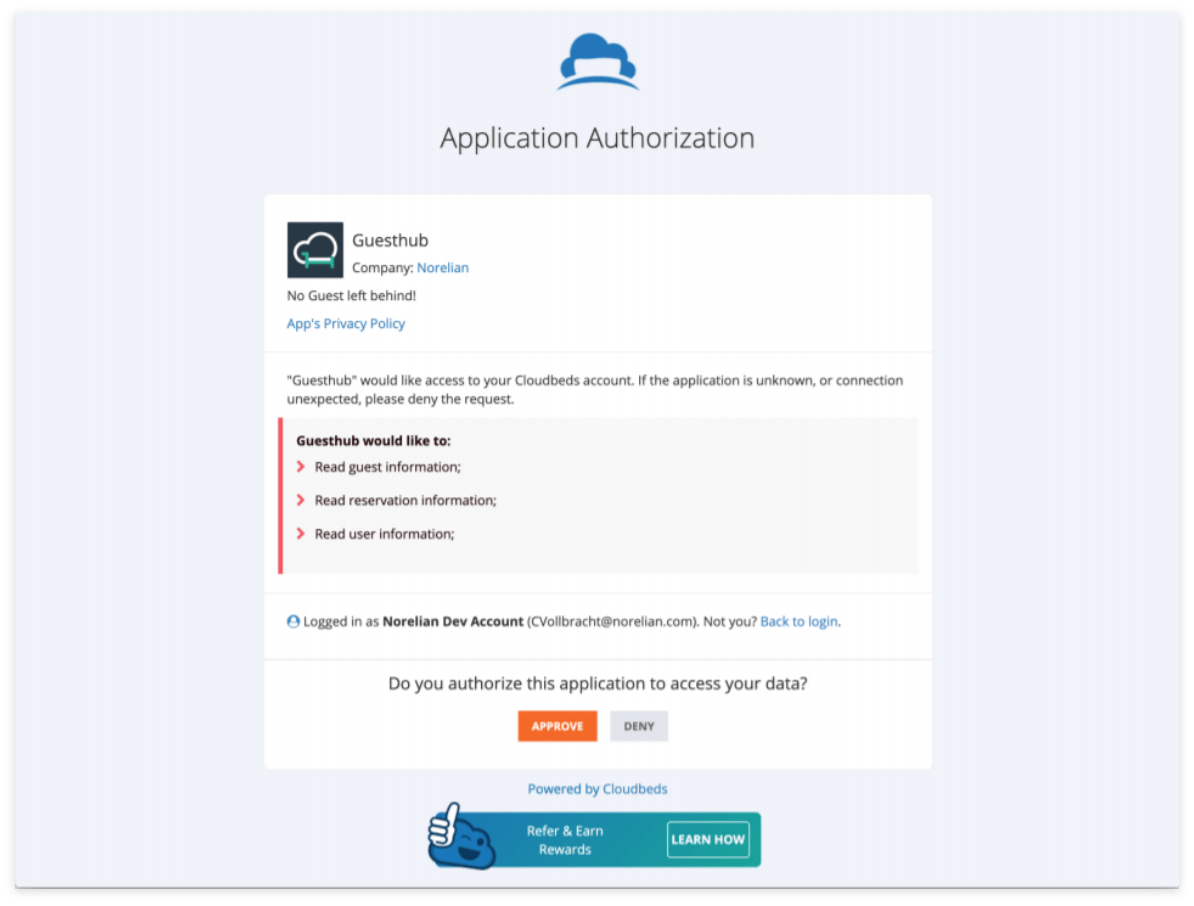
Authorize Guesthub to access your Cloudbeds account
5
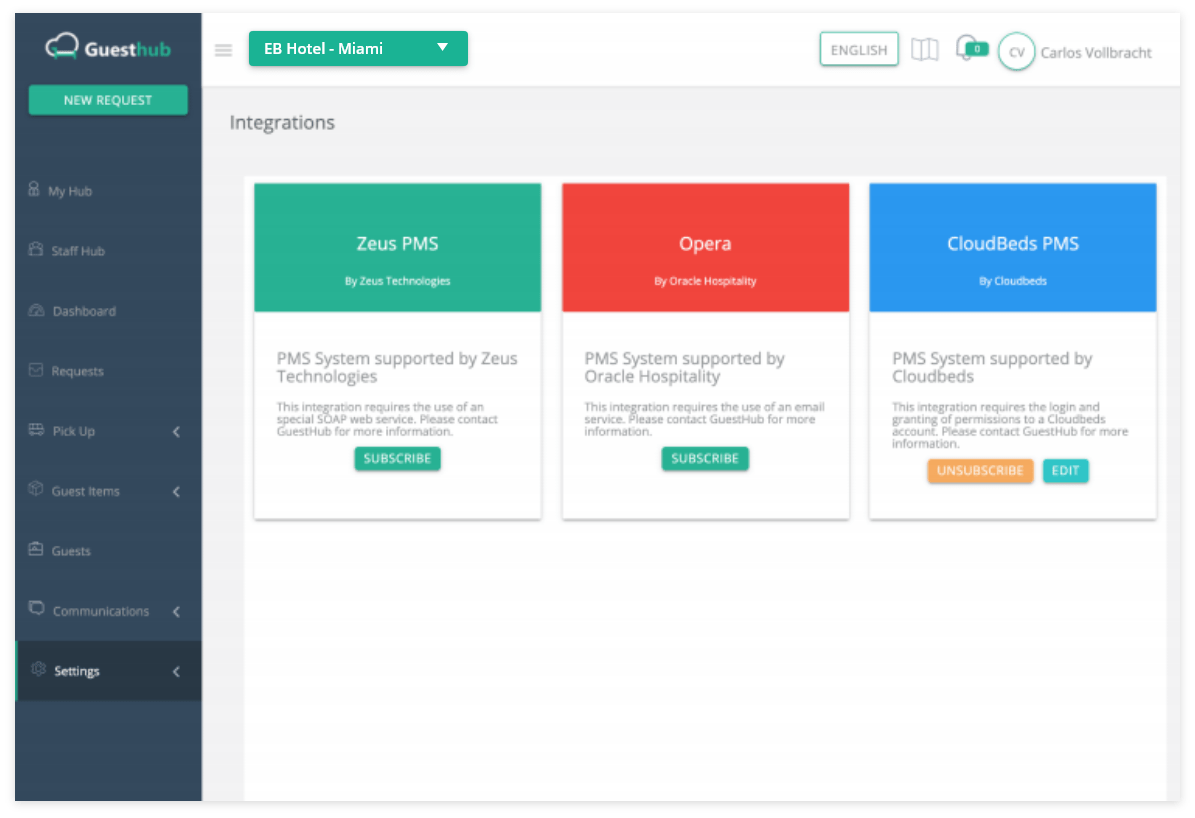
The Cloudbeds integration widget is installed; you can edit it or unsubscribe
6
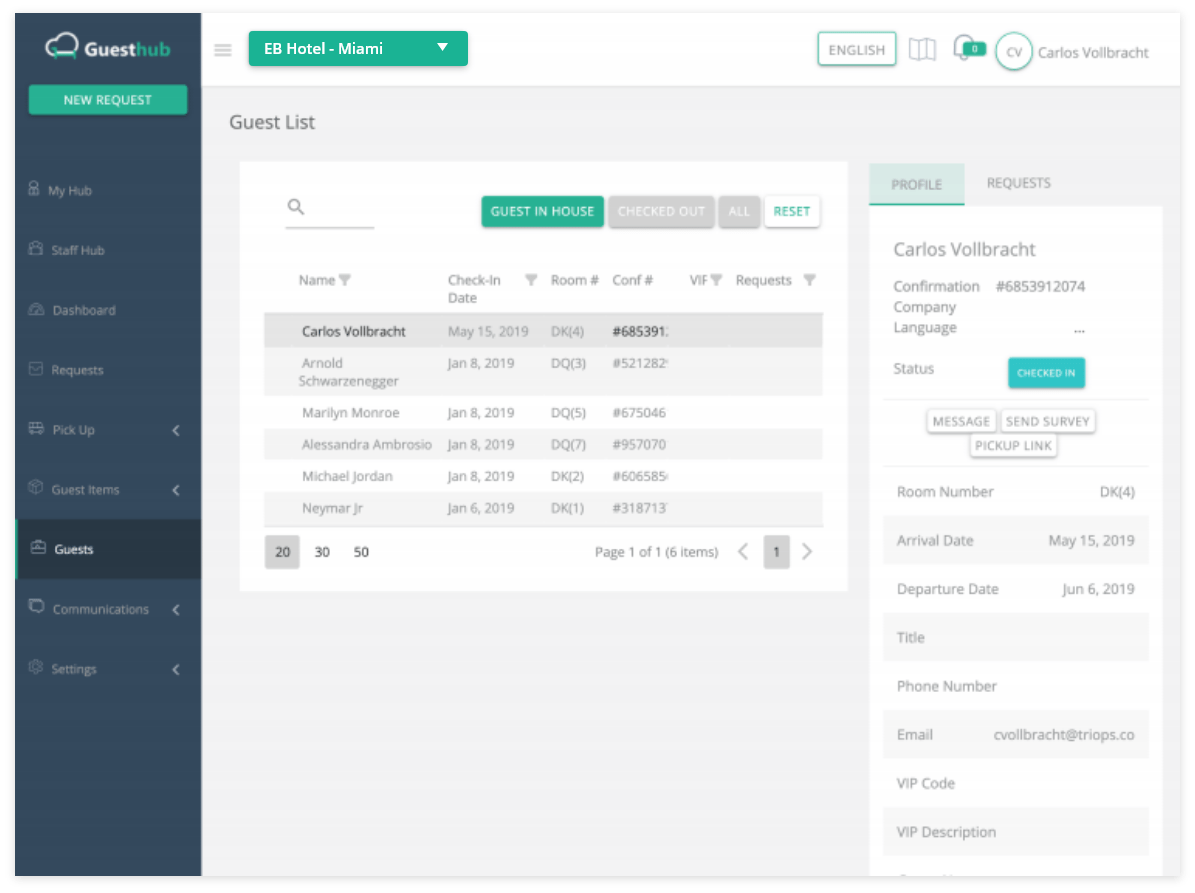
Click the Edit button to verify and manage your guest list
7
If you need to disable the Cloudbeds integration, simply click the Unsubscribe button